

Frequently Asked Questions
Program Overview & Benefits
This program applies to any student with undergraduate status who is enrolled in courses. The program includes course materials for undergraduate students enrolled in graduate courses (e.g. Progressive Degree students).Note: Study abroad courses are not included in the program. Students enrolled in these courses must purchase those required materials independently.
Students will receive essential program details—including deadlines, fees, and opt-out instructions—via their @usc.edu email. Students can expect emails about program information, digital course materials access, and physical material pick-up.
Both students and instructors will benefit from this program through:
- Convenient Access: Required materials are available digitally in Brightspace or for pickup at the USC Bookstore, as applicable.
- Cost Savings: Program pricing is up to 60% less than buying required materials individually.
- Simplified Management: Easy access and organization of digital course materials.
- Reduced Stress: Students avoid the hassle of searching for and purchasing materials on their own.
- Enhanced Learning Tools: Digital platforms include features like highlighting, flash cards, and note-sharing to support academic success.
- Timely Access: Faculty can start teaching right away since students will have timely access to the required materials.
- Academic Freedom: Supports academic freedom, excellence, and equity by facilitating unrestricted access to a selection of materials and publishers.
No. Faculty still retain full academic freedom and can choose the materials used in their courses.
Costs & Materials
Yes! Students can save up to 60% off the original price thanks to USC Bookstore’s relationships with publishing partners and bulk purchasing power. The program also reduces student stress during the purchasing process and provides a method to easily access, manage and use all course materials regardless of format or cost.
The program cost is $310.00 per semester for the fall and spring semesters, and $159.50 for the summer term.
Depending on the classes and the course materials required, students may receive a combination of required digital course materials, physical textbooks, printed lab manuals, or workbooks. While this is a digital-first program, students may still receive several physical textbooks as the transition to fully digitize course materials is ongoing.
Only required digital and/or physical materials are included in the Digital Course Materials Program. For suggested and additional recommended materials, you can order these materials independently online or visit the USC Bookstore where our experts will be happy to assist you.
Required: it is necessary for the course.
Recommended: the instructor has suggested an item that may be helpful.
Only materials identified by the faculty as “required” are included in the program. All “recommended” materials may be available for purchase separately at USC Bookstore.
Required physical materials can be kept by the student at the end of each term and does not have to be returned. Digital materials can be accessed for a minimum of 180 days and may be available for longer period of time based on the material adopted and the publisher's terms.
Please submit required course material selections by following the instruction here or emailing the USC Academic Resource Center at bksarc@usc.edu. Timely submission enables your course materials team to obtain resources, set up courseware with publishers, and order physical materials for the USC Digital Course Materials Program. You will receive information on the new process for course submission.
To add publisher materials please leverage the publisher specific help guides for complete instructions:
Digital Course Materials:
Kortext: You can access digital materials from Kortext through "My Materials" under the "Course Tools" tab. You do not need to create a separate account. If you experience issues, follow troubleshooting instructions provided via email by Kortext.
BryteWave/Redshelf: You can access digital materials from BryteWave/Redshelf through "My Materials" under the "Course Tools" tab. You do not need to create a separate account. If you experience issues, follow troubleshooting instructions provided via email by BryteWave/Redshelf.
Publisher Materials: You can access publisher materials through the “My Materials" under the "Course Tools" tab. If you need assistance with adding publisher materials to your course, please leverage the publisher specific help guides for complete instructions:
Physical Course Materials:
Physical Textbooks: You can pick up physical materials at the bookstore. Instructors will receive an email from Follett/the USC Academic Resource Center with instructions on how to collect their course materials.
Carboard Access Codes: Access codes are provided by the publisher and redeemed online to access course materials. Instructors will receive an email from Follett/the USC Academic Resource Center with instructions on how to pick up their access codes.
Yes, instructors can change course materials after submitting them. However, we encourage submitting course materials changes as early as possible. Timely submission allows the course materials team to secure resources, coordinate with publishers, and order physical materials for the USC Digital Course Materials Program. Please note that late changes or submissions may delay access to course materials, as sourcing can take up to six weeks.
There is no change to the way Teaching Assistants acquire materials for the course(s) they support. Teaching Assistants do not have access to the required course materials. Teaching assistants should work with their instructor or department to secure course materials as usual.
To ensure optimal performance and compatibility when accessing digital textbooks and resources through the USC Digital Course Materials Program, it is important to use supported browsers for each eReader and publisher platform. Below is a summary of preferred browsers and additional access information:
eReaders
Kortext
• Recommended Browsers:
- o Google Chrome (two most recent versions)
- o Mozilla Firefox (latest and Extended Support Release [ESR])
- o Microsoft Edge (two most recent major versions)
- o Safari (two most recent major versions for Mac users)
• App Availability:
- o Kortext apps are available from the Google Play Store, iOS App Store, Windows App Store, and the Mac App Store. Please visit these app stores for more information on minimum system requirements.
• Device Limit:
- o You can log in to the Kortext app on up to five devices.
RedShelf
• Recommended Browsers:
- o Google Chrome (Windows/Mac/Android)
- o Safari (iPad/iPhone/Mac)
- o Firefox (Windows/Mac)
- o Edge (Windows/Mac)
- o *Redshelf does not recommend using Google Chrome on iPad and iPhone devices*
• App Availability:
- o All RedShelf eBooks are accessible through their browser-based platform. You can access your eBook on any device that has a modern browser capable of rendering HTML-5 content.
- o If you are using Apple devices such as iPhones and iPads, these must be running iOS 12+.
- o If you are using Apple devices such as iPhones and iPads, these must be running iOS 12+.
- o *reMarkable devices are currently not supported*
Publisher Platforms
- Using the most up-to-date versions of these browsers will help ensure a smooth experience when accessing your digital course materials. For mobile or offline access, consider downloading the dedicated eReader apps where available.
Access & Enrollment
If a student adds or drops a course, that information is automatically transmitted to USC Bookstore.
- Added courses: Within 24 hours of adding a course, students will receive an email at their school email address with details to access their digital materials and/or if their materials are already provisioned digitally. If the course requires physical materials, students will receive an email to their school email address letting them know when the new print materials are ready for pick-up.
- Dropped courses: For courses dropped prior to the last day to drop/add/opt-out, access to electronic or digital materials will be automatically disabled. If the course requires physical materials, they must be returned to the USC Bookstore unless otherwise stated.
Undergraduate students are automatically enrolled in the program each term once they register for their courses. Students who have no required materials for any course in which they are enrolled, are automatically opted out of the program. Students may choose to opt-out and remove themselves from the program before the opt-out deadline for a full refund. If a student opts-out, they are then responsible for finding/purchasing their required materials independently. Students must take action to opt-out of the program each term. There is no penalty for opting out. You can access detailed instructions on how to opt-out here.Note: The opt-out link will direct you to the Follett opt-out website. This site is managed by our Follett partners supporting the Digital Course Materials Program for USC.
Please note, if you have physical course materials, you must initiate the opt-out process via the opt out portal and contact the bookstore to finalize the opt-out process. Students can reach the USC bookstore at 213-740-8398 between the hours of 10AM-6PM or by emailing uscdcmp@follett.com by 11:59PM PT on last day to drop classes (September 12 for Fall 2025) to complete the opt-out process for those that have physical materials. Students without physical materials can start and complete the opt-out process through the portal and do not need to contact the bookstore, please follow instructions in the opt-out portal.
No, you do not need to create separate accounts. Please use the "My Materials" under the "Course Tools" tab in Brightspace to access your courseware. This ensures you are properly signed in and prevents duplicate accounts.
Support & Other Questions
Students participating in the program will have their required digital materials available directly in the campus’ LMS. Students will receive emails from no-reply@kortext.com with instructions and details on accessing their materials. For any technical issues and additional support, students can email support-us@kortext.com.
For self-help articles and resources, visit the Kortext help site.
Visit or call the USC Bookstore between 8am and 6pm, Monday through Friday, and speak to our knowledgeable staff. Our course materials specialists can be reached at 213-740-8398.
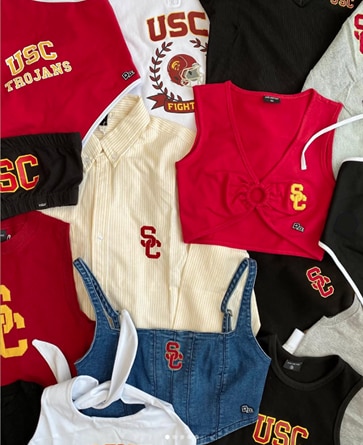
You have your course materials. What’s next? USC Bookstore has the best selection of officially licensed campus gear around. We are ready to outfit you head to toe, with school spirit. Visit USC Bookstore to grab all your spirit items, supplies and technology and meet your friendly USC Bookstore staff who are a knowledgeable resource to help you throughout the term.
The USC Digital Courses Materials Program partners with Follett, who is committed to ensuring that websites, products, and services are accessible to all—regardless of ability. They partner with experienced accessibility consultants to conduct regular website audits and provide recommendations to meet the nationally recognized World Wide Web Consortium’s Web Content Accessibility Guidelines (WCAG) 2.1 Level AA. Read more about USC and eFollett commitment to accessibility.